

Build an app locally
Develop a Keboola app with your own tools and Git account, then sync it to your project.
Build an app in your own environment when you want full control over the code, your editor, and your Git workflow. Keboola still hosts and runs the app. This is the full-control path for Python/JS apps.
Before you start
Section titled “Before you start”- A Keboola project.
- Your local development tools.
- Optionally, your own Git account if you want to manage the repository yourself.
App structure
Section titled “App structure”A Keboola app is a standard web app. The typical scaffold is:
src/App.tsx— the frontend (React).server/index.ts— server-side API routes (Express).
All data-fetching logic — SQL queries and anything that uses your Storage token — belongs in the server-side routes.
// server/index.ts — example route (illustrative)app.get("/api/rows", async (req, res) => { // Use the Keboola Storage client here, server-side only. // Never expose your Storage token to the browser.});Develop with an AI coding tool
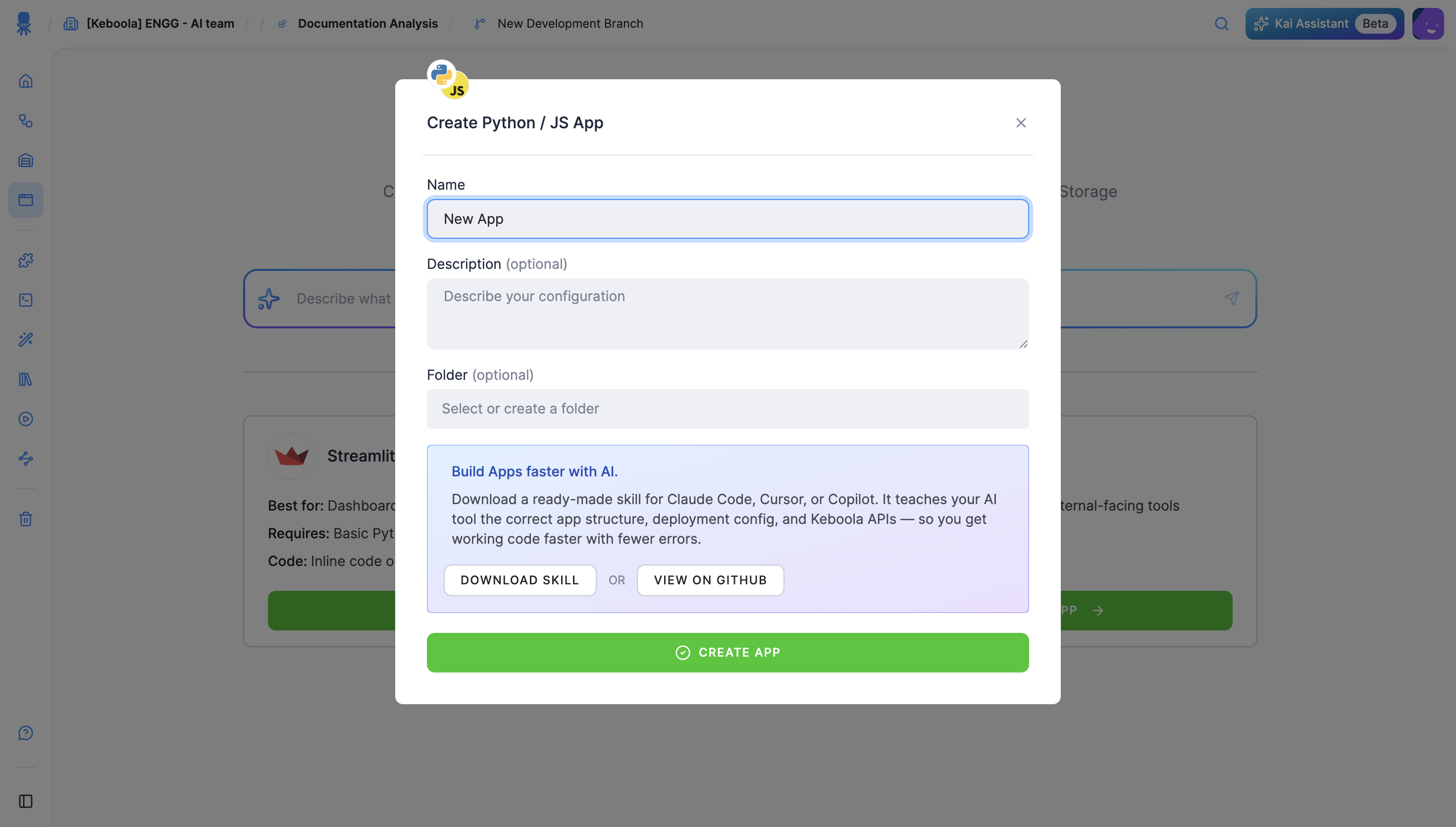
Section titled “Develop with an AI coding tool”You can build the app with an AI coding assistant (Claude Code, Cursor, or Copilot). When you create a Python/JS app, Keboola offers a ready-made skill file — Download Skill or View on GitHub — that teaches your assistant the correct app structure, deployment config, and Keboola APIs, so you get working code with fewer errors. The app’s Overview also links it as AI Skill for Building.
Sync to your project
Section titled “Sync to your project”Keboola runs your app from a Git repository you point it at. Develop locally, push, and connect the repo:
- In your project, create a Python/JS app (Apps → + Create App → Python / JS).
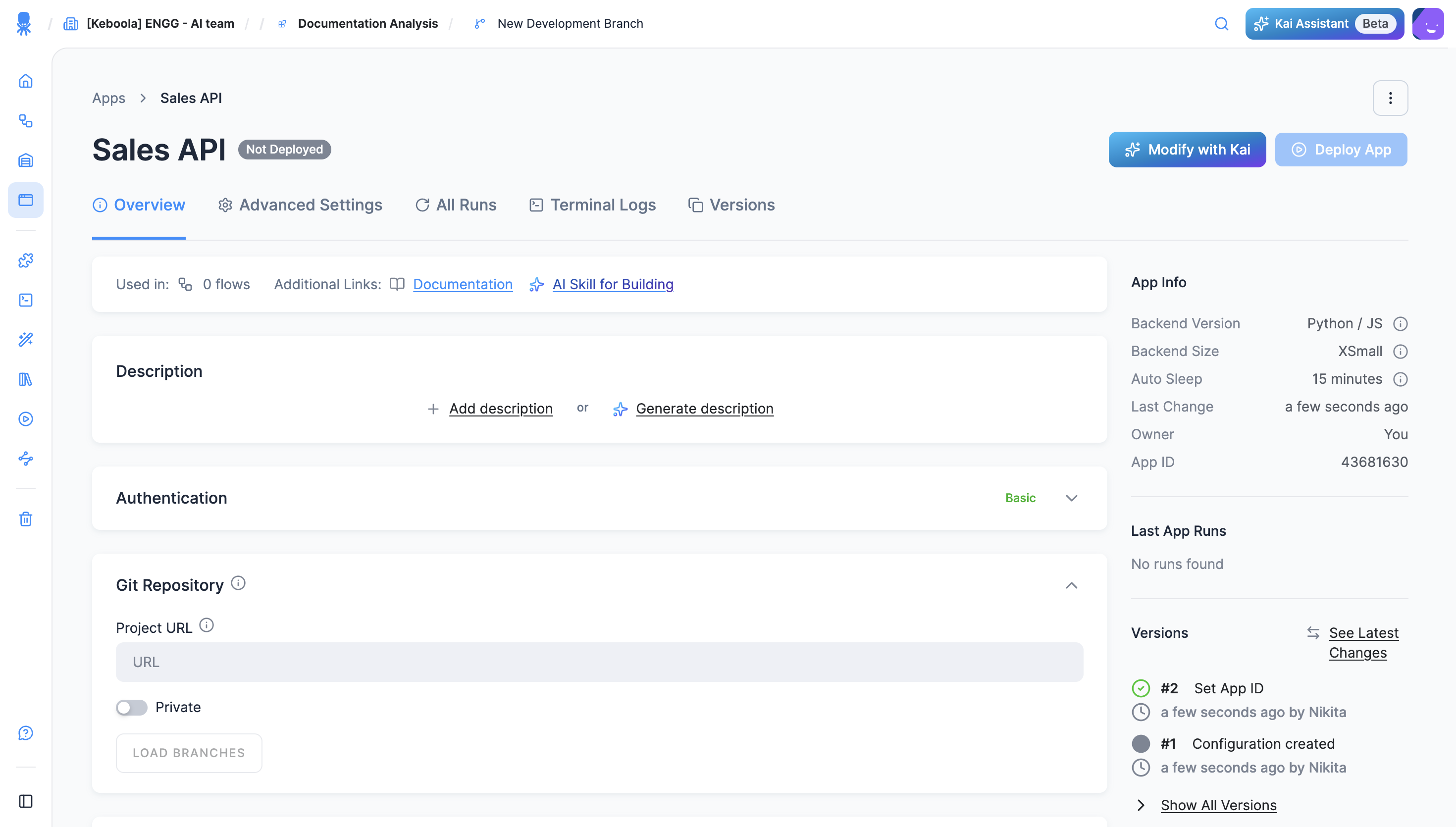
- On the app’s configuration page, open Git Repository and set the Project URL. For a private repo, toggle Private and add your credentials.
- Pick the branch (Load Branches) and the entrypoint.
- Click Deploy App. Keboola clones the repo, installs dependencies, and runs it. Push changes and Redeploy to ship them.
Access your data
Section titled “Access your data”Apps read Keboola data through Input Mapping, the Storage API, or Storage Access (real-time SQL via the Query Service). See Reference → Data access for environment variables, code patterns, and Storage Access setup.
Next steps
Section titled “Next steps”- Authentication
- Reference — environment variables and settings.